Provider defaults
Set optional text, vision, and coding model defaults.
Zeus coordinates the model tools you choose through one reviewable workflow. Add providers, decide which models may take each role, and let the council adjust when availability changes.
Open the council selector from Chat to see available providers or add another OpenAI-compatible endpoint. Configure how Zeus should treat it, then make it available to the council.
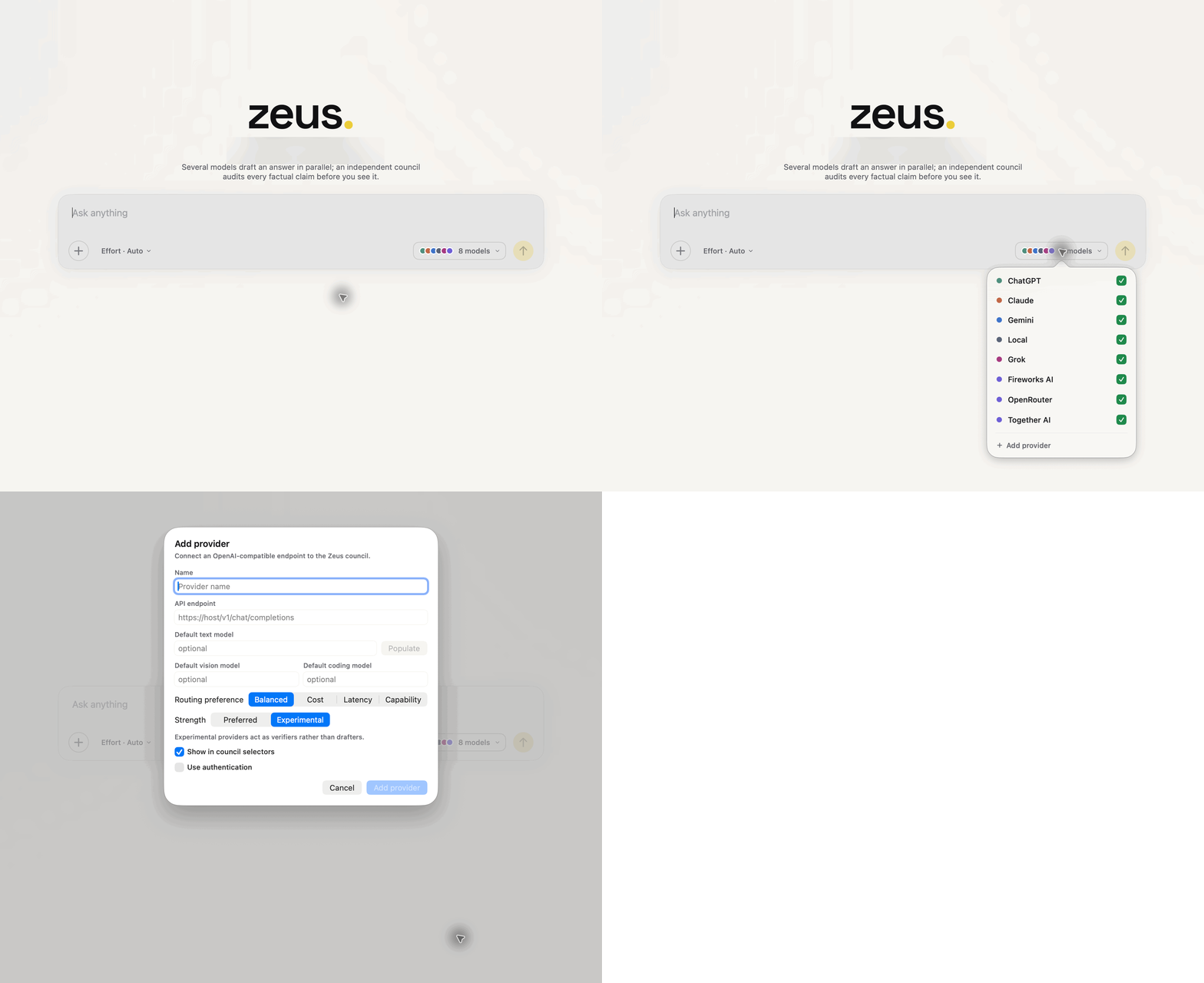
Set optional text, vision, and coding model defaults.
Choose balanced, cost, latency, or capability.
Preferred providers may draft; experimental providers can verify.
Auto mode lets Zeus choose planners, designers, implementers, and reviewers from configured models and live capability. Manual mode exposes the role matrix so you can include or remove a model from each phase.
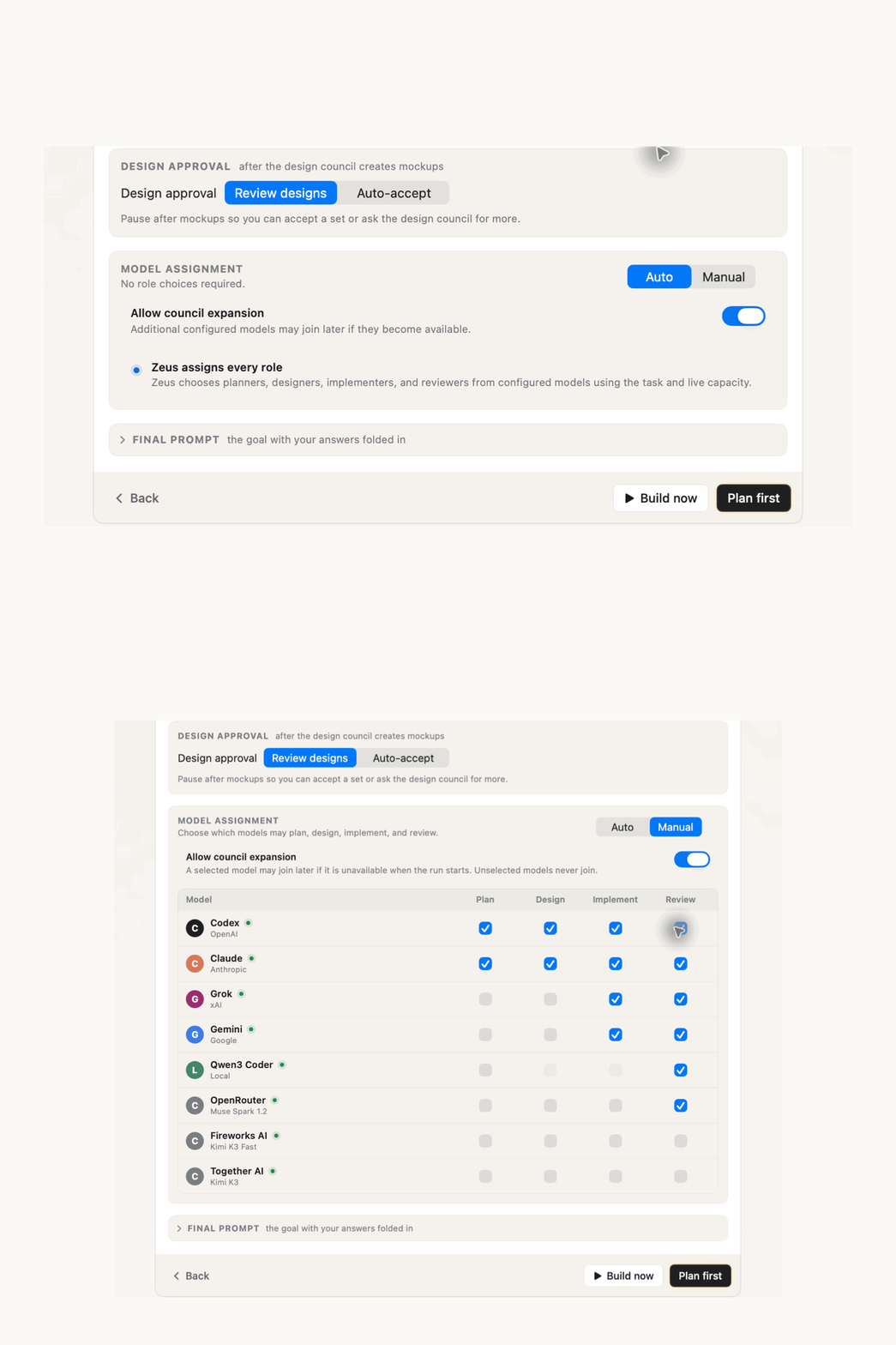
Check the roles a model may fill. Unselected models never join.
Pause after mockups or let an approved design continue automatically.
Decide whether a selected model may join later if it becomes available.
Zeus reevaluates the eligible council at the point a role needs to run. The result stays bounded by the providers, models, role permissions, and expansion setting you chose.
Add a provider, remove a seat, or wait for a selected model to become available.
Availability, capability, routing preference, and your role matrix define the eligible set.
An eligible model takes the next role while the workflow remains visible and reviewable.
Your boundary stays intact. With council expansion off, no late model joins. In Manual mode, unselected models never join.